One shared task list
A single ChangeNotifier provider feeds the home screen, details, and completed archive. No duplicated state, no sync bugs.
Taskify is a complete, beginner-friendly Flutter app: onboarding, a task list with priorities and due dates, search, filters, a progress dashboard and local persistence — written as clean, commented Dart you can actually learn from.
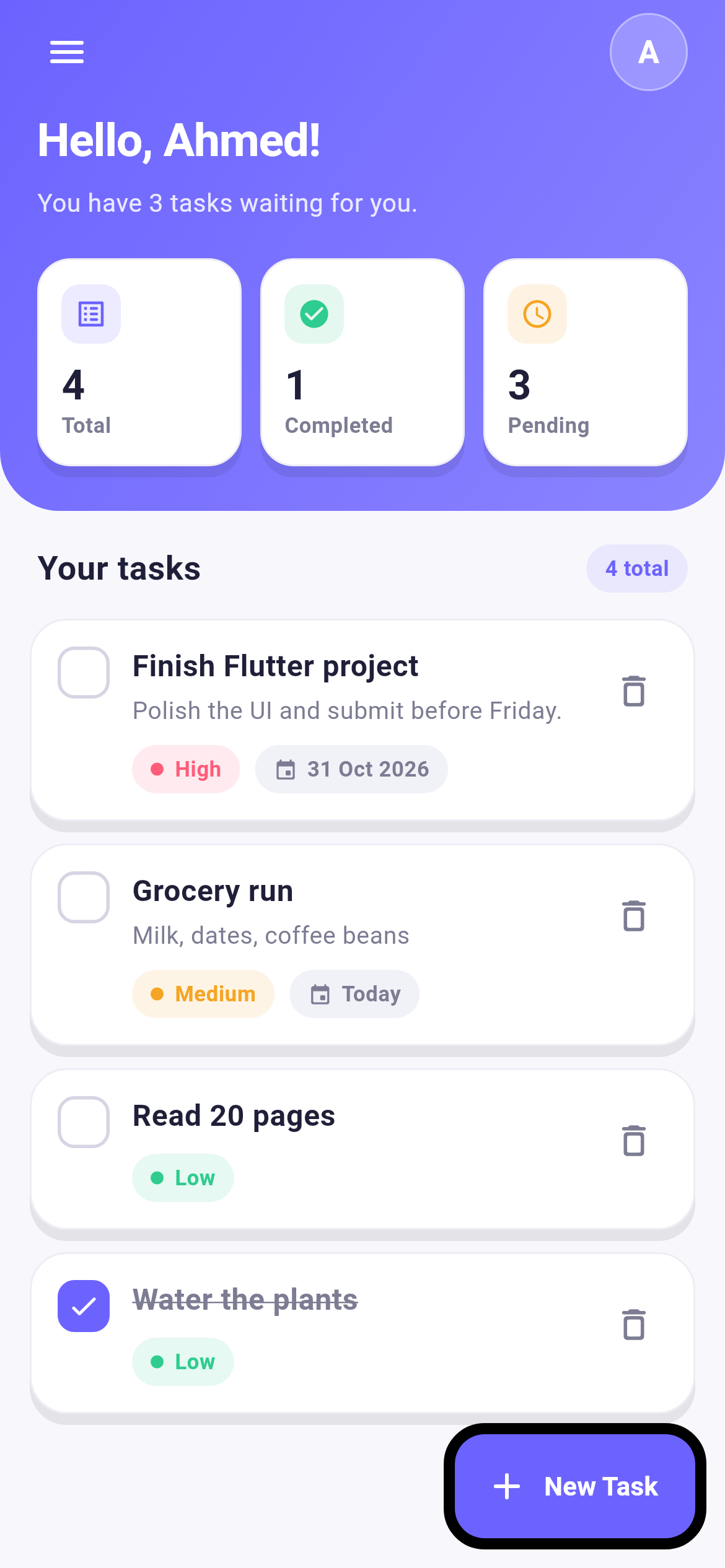
These images come straight out of a widget-test harness that renders the running app at 390 × 844 — no mockups, no photoshop.
Only Provider and shared_preferences, one source of truth, and comments on every non-obvious line — so the code stays readable long after you finish the tutorial.
A single ChangeNotifier provider feeds the home screen, details, and completed archive. No duplicated state, no sync bugs.
Every change is serialised to SharedPreferences as JSON, and loaded before the first frame so the list never flickers empty.
Low / medium / high drive the chip colours, the sort order, and the accent bar on each card — one enum, used everywhere.
“Today”, “Tomorrow”, “3 days late” instead of raw timestamps, with a small formatter utility you can reuse in other projects.
Query by title or notes, then narrow to All, Today, Upcoming, or Done — all computed in memory, no network round trip.
Deleting a task shows an undo snackbar. The provider keeps the removed item just long enough to restore it with one tap.
main.dart
models/      task.dart  ·  priority enum, copyWith, JSON
providers/   task_provider.dart  ·  CRUD + persistence
screens/     welcome · login · home · add_task
             task_details · completed_tasks
widgets/     task_card · empty_state
theme/       app_theme.dart  ·  colours + text styles
utils/       date_formatter · ui_helpers
om.taskify.app as the application id and “Taskify” as the display name.Open the taskify folder in Android Studio or VS Code.
Run flutter pub get once — only two dependencies.
flutter run with an emulator, a phone, or Chrome.
This page shows real renders rather than a live web build: Flutter's web compiler needs roughly 2.5 GB of RAM, more than this preview sandbox allows. The app itself builds normally on any laptop.
$ cd taskify
$ flutter pub get
Resolving dependencies... Got dependencies!

$ flutter run
Launching lib/main.dart on sdk gphone64
Syncing files to device... done ✓

$ flutter test
00:43 +11: All tests passed!
Source, assets, Android + iOS config, 11 passing tests and the screenshot harness — packaged as taskify-flutter-project.zip in this chat.